 By
Listen to this article
11 minute listen
Narrated by an AI voice · 8 chapters
AI Overview
Nine automated technical SEO checks to run on every release of a template-driven site, how to sample pages per template, and when a failure should block the release or only raise an alert.
Key takeaways
- One template change lands on every page of that type at once, so test the head, status codes and links nobody clicks.
- The first three checks (status codes, noindex and robots, canonicals) can take pages out of search, so they block the release.
- Check built files in full, a fixed sample per template on every release, and run the full crawl on a schedule.
- Code that breaks indexing fails the build; content mistakes warn and slow damage like CWV drift alerts.
- A 307 redirect is not a canonical signal for Google, so internal links should point straight at the final URL.
Is anything on your site quietly broken right now?
Enter your website. MyKavo saves how your key pages look and work today, re-checks them on a schedule and emails you when something important changes.
- Free plan, no credit card
- Upgrade any time
- Set up in about a minute
Using WordPress? Get the free plugin on WordPress.org and see which update broke what.
Summarize with AI
 ChatGPT
Opens the assistant in a new tab with a link to this post.
On this page
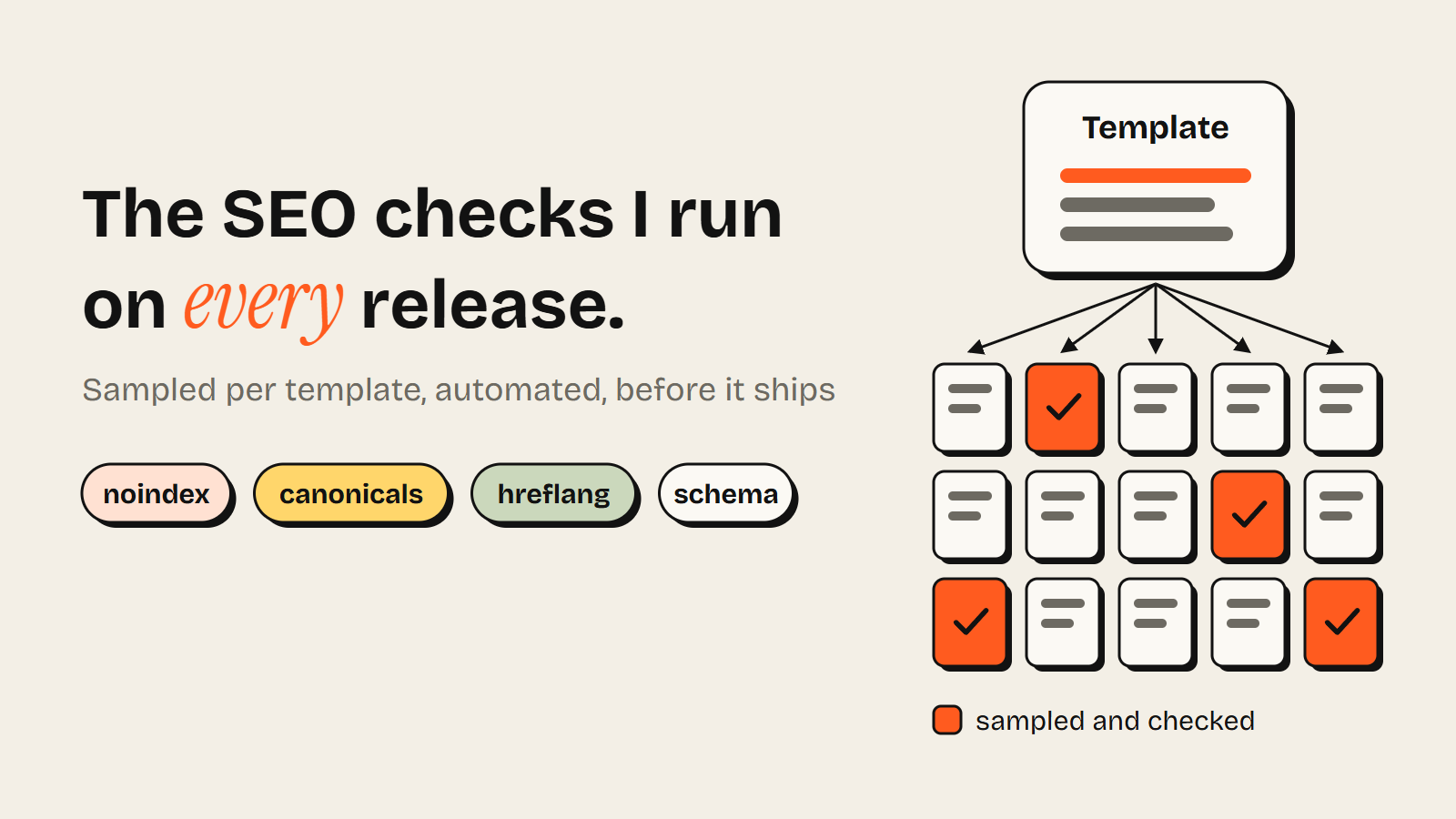
A fixed sample from every template, checked automatically before each release ships.
Every release on a template-driven site gets the same treatment from me: a short list of automated technical SEO checks, run on a sample of pages from each template, with clear rules for what blocks the release and what only raises an alert. This article is that list, and how I set it up.
I'm George Fakorellis, and I've spent years shipping pages from templates. At Wealthyhood I built 10,000 stock pages from a single template, each one pulling live data for its stock. At Synthesia, as senior growth manager, I launched 60+ multilingual landing pages programmatically with the localization team. At Moosend, template pages were one of the ways we grew organic.
Today I run my own site, growthvibes.ai, as a one-person army: I build AI agents and automations that research, write and publish SEO and AEO content, and I review what they produce. Every article they publish is a release onto templated pages, so the checks run whether or not anyone is watching.
Why template releases need their own checks#
One change lands on every page of that type at once, so the checks have to look where people don't: the head of the page, the HTTP status, the href of a link in the footer. People test the page in front of them. The template breaks on a page nobody opens.
On stock pages, the developer checks Tesla: complete data, short name. The page that breaks is a small company with no P/E figure. Three things make this worse than a normal deploy:
- Reach. Every page on the template changes in the same second.
- Silence. A page with a stray noindex looks exactly like a healthy one.
- Delay. Search engines need time to recrawl, so the drop shows up weeks later, when nobody connects it to the release.
Delay is the nasty one. Three r/SEO threads between 20 and 29 October 2026 (one, two, three) tell the same story: hundreds or thousands of pages changed in one go, then a drop, and no baseline to pin it on any single change. Just a very long comment section.
The nine checks, roughly in order of damage#
These are the checks I run on template-driven sites, ordered by what a failure costs. The first three can take pages out of search. The rest work slowly.
1. Status codes and redirects#
Every sampled URL returns a 200, no new 404s or 5xx errors, and internal links point straight at the final address. Route changes and slug logic are the usual causes. On my own site it was one missing character (more on that below).
2. Noindex and robots rules#
Check the meta robots tag, the X-Robots-Tag header and robots.txt on every release. The classic cause is a noindex from staging riding along into production: one line of config, and the most expensive line on the site.
3. Canonicals#
Each canonical points at the page itself, or the page you intend, as an absolute URL. One broken variable can point every canonical at the homepage, and Google reads hundreds of pages as duplicates.
4. hreflang across the language set#
Every language version lists the others plus itself, with return links. On a set like the 60+ pages we launched at Synthesia, one new locale changes every page in it. Check codes, return links and x-default.
5. Schema validity per page type#
I built schema for different page types at Synthesia, and the simplest test is one expected type per template: the JSON-LD parses, the @type is there, the required fields aren't empty. Data-driven pages fail sneakily here, because a missing field renders as an empty string in valid-looking markup.
6. Internal links and directory pages#
At Wealthyhood a directory of every stock page worked as a crawlable sitemap, and each page linked to stocks people look at together, from co-interest data. A redesign that drops either leaves every page looking fine while cutting the paths crawlers use. Check the directory returns and link counts hold.
7. Titles and meta descriptions#
Unique across the sample, no literal {{stock_name}} anywhere. On length, Google says there's no limit and it truncates to fit the device. My house rule is 60 characters, and the brand suffix is the first thing to go.
8. Rendered content#
The main copy, key numbers and links belong in the raw HTML, not only after scripts run. Compare raw and rendered on the sample.
9. Core Web Vitals regressions#
Compare lab scores on the sample with the last release. At Moosend I worked with our developers to take the average Core Web Vitals score from 73 to about 85 on a WordPress site. One release with an unsized hero image can give a chunk of that back in an afternoon.
Try it on your site · free
Check your own page's meta tags
Title, description, canonical and robots - including an accidental noindex - in a few seconds.
Sample each template instead of crawling everything#
Test a small, fixed sample from each template on every release, and save the full crawl for a schedule. One exception: anything you can check from the built files, check on every page. Reading files costs nothing, which is why my link check reads every page in the build. Sampling is for checks that need a live request or a browser.
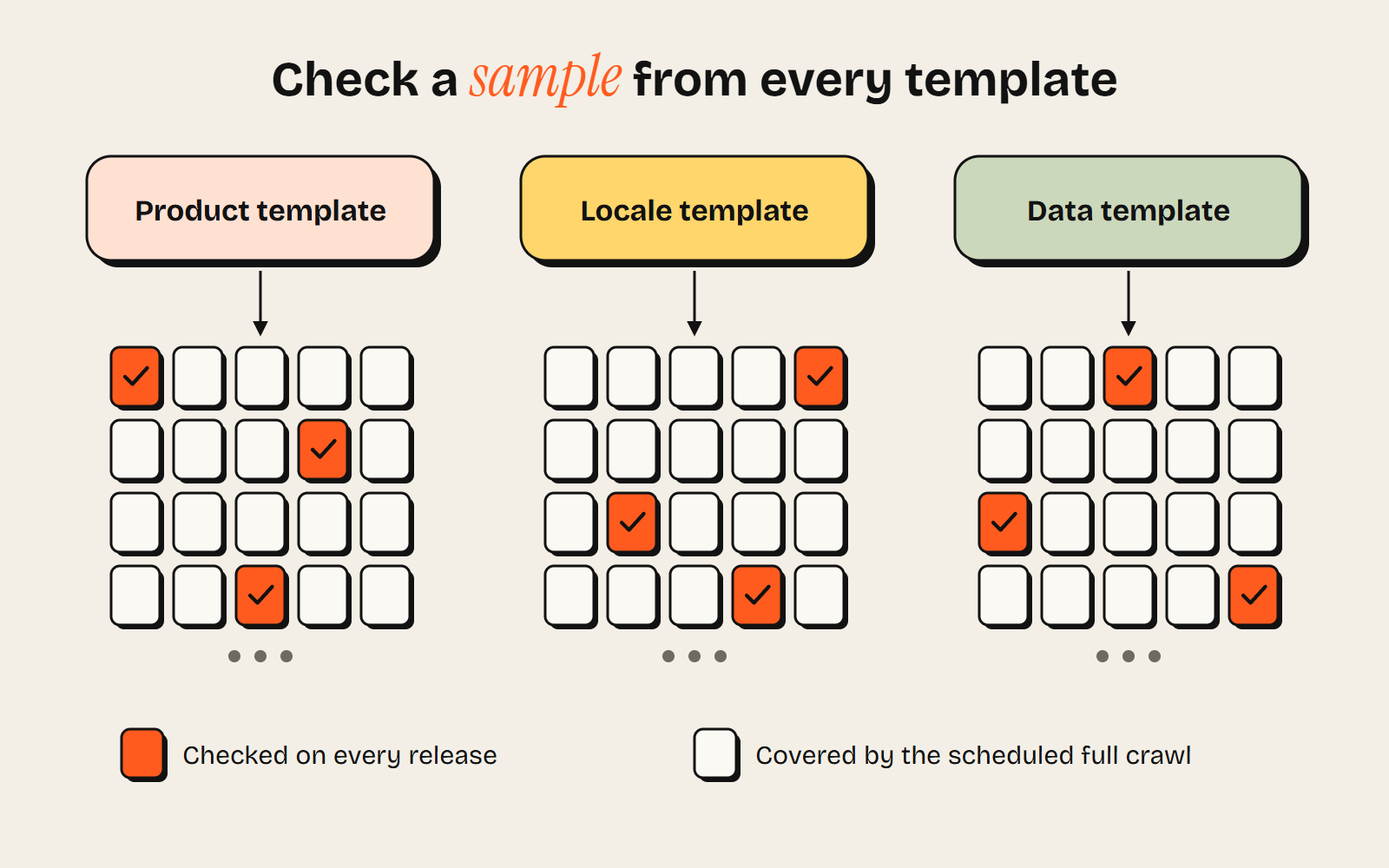
Check built files in full and a fixed sample per template on every release; crawl everything on a schedule.
A full crawl of 10,000 stock pages after every deploy tells you the same thing 10,000 times. A broken template is broken on the sample too, if the sample holds the pages most likely to show it:
- The highest-traffic pages, because you'd lose those first.
- The newest pages, which hit any recent data or routing change first.
- Edge cases: missing fields, very long names, odd characters.
- One page per locale, since hreflang breaks at the set level.
- A few random URLs, rotated each release.
Keep most of it fixed: a changed canonical only means something if you know yesterday's.
When to block a release and when to just alert#
I ask two questions. Can this take pages out of the index or point Google somewhere else? And did it come from code or from content? Code that breaks indexing fails the build. Content mistakes and slow damage warn or alert.
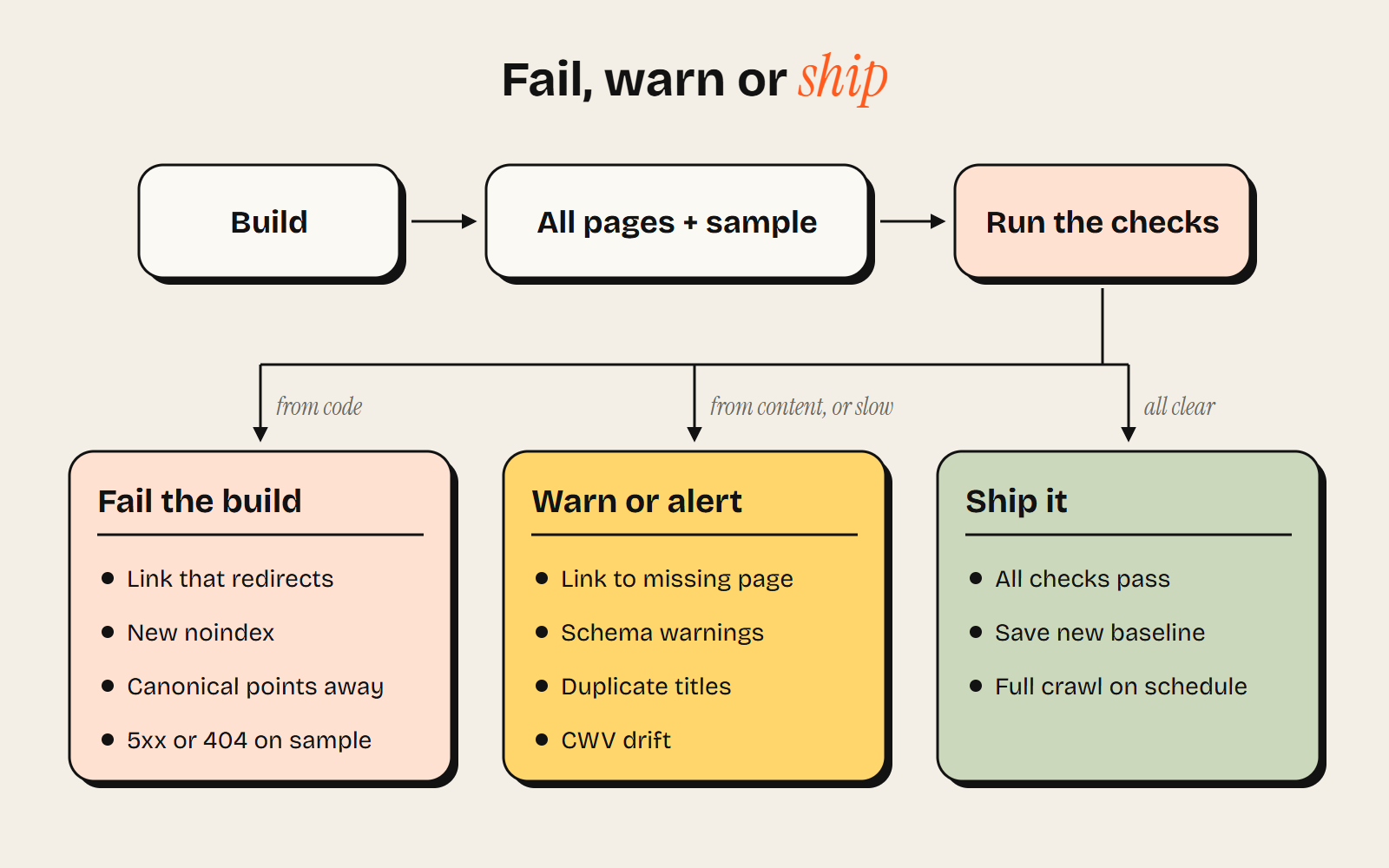
Code that breaks indexing fails the build. Content mistakes warn, slow damage alerts.
My build check is that rule in practice. Any internal link that would redirect fails the build, because it can only come from code. A link to a page that doesn't exist only warns: one bad link typed in the CMS can't stop the site deploying, but it sits in the build log where I'll see it. It also fails on a link tag inside a script template, which crawlers read as a real link. One of my own free tools had one.
A skeptic would say a redirecting link isn't worth a failed build, and on a small site they're mostly right. Google's crawl budget guide says it's mainly for sites with a million-plus pages, or 10,000+ that change daily. But the fix in code is free, and a stock template refreshed every day is exactly who that guide is for. I block it because the fix costs nothing. One hop is hardly a disaster.
At Synthesia I built automated checks that flagged critical issues and sent alerts. Alerts assume someone reads them, and a channel that fires on every release gets muted within a month. When a pipeline does the releasing, you want a stop as well as an alert. Mine pauses the article on any failure and goes no further: when a writing step timed out halfway through a long article on 13 November, the article stayed a draft until it was finished that evening. A half-finished article on a live site is worse than no article.
So my setup, by type: a check inside the build, the pipeline's pause rules, and Search Console for the slow problems neither can see.
Editor's note from MyKavo: for the slow problems a build can't see, a monitor like MyKavo re-checks key pages after each deploy against a saved baseline, and alerts when a status code, noindex, canonical, title or schema changes.
One check that earned its place on my own site#
My build's link check exists because of one real slip: many internal links on my site were missing their trailing slash, so each one went through a temporary redirect. The bug sat in shared code and in the instructions my publishing pipeline follows, so every new article copied it.
I found it in a technical SEO audit on 12 November, about two weeks after the pipeline started publishing. My host answers a missing slash with a 307, and Google, according to its documentation on redirects, doesn't treat a temporary redirect as a signal about which URL is canonical. The writing step had copied the slash-less links from its own instructions into article after article. Very obedient. Very wrong. (The moving parts of that pipeline are in my write-up on how I built an SEO content automation.)
The fix took one release: every internal path ends with its slash in code, links coming from the CMS pass through one helper, redirects became one-hop 301s, and a link check now runs last in every build. I can't say the bug cost rankings, since the site was under three weeks old. It was caught early, which is the cheapest kind of fault.
The release checklist#
Built files get checked in full, live behaviour on the per-template sample.
| Check | What to test | On failure |
|---|---|---|
| Status codes | 200 on every sampled URL, no new 404s or 5xx | Block |
| Internal links | Every built page: no link that redirects, no link to a missing page | Fail the build on a link that redirects (only code makes those), warn on a missing page |
| Noindex and robots | Meta robots, X-Robots-Tag, robots.txt | Block |
| Canonicals | Self-referencing or intended, absolute | Block |
| hreflang | Full set listed, return links, valid codes, x-default | Alert |
| Directory and link counts | Directory returns, link counts near last release | Block if missing, alert if down |
| Schema per page type | Parses, expected @type, required fields filled | Alert |
| Titles and meta | Unique, no raw variables, suffix dropped past 60 characters | Alert |
| Rendered content | Main copy, data and links in the raw HTML | Alert |
| Core Web Vitals | Lab scores against the last release | Alert |
The template includes the rules#
Most of these checks are boring, and that's the point. Status codes, robots rules, canonicals and links can each take hundreds of pages out of search in one deploy, and none of them shows up when you click around the page you just changed. The release that hurts is the one that returns a 200 everywhere.
A template also includes the rules that fill it. On a stock page that's the data feed. On my site it's the instructions an AI agent follows, and if you're building AI agents that publish anything, check their output like any other release. If I started again, I'd automate the checks before I automated a single draft.
Write for MyKavo
Know website monitoring, WordPress or SEO from real work? Pitch us a guide. You keep a byline with one link to your site. Read the guidelines
Get alerted when your site breaks. Free, no card.
Start free