// seo & website monitor //
Check any page.
Protect it in one click.
The MyKavo extension checks the SEO of any page the moment you click it - right in your browser - then connects the website to MyKavo monitoring with one more click. No URLs to copy, nothing to configure.
Free · Chrome 116+ · Checks run locally · v2.0.0
Illustrative walkthrough · the screens and wording are the extension's own
In short
What is the MyKavo Chrome extension?
MyKavo - SEO & Website Monitor is a free Chrome extension that runs an instant on-page SEO check on any page, locally in your browser, and connects that website to MyKavo website monitoring in one click. Once connected, it shows the site's monitoring status, critical changes and uptime whenever you visit, and can start a scan. The monitoring itself runs in the cloud, so Chrome doesn't need to stay open.
- Price
- Free extension, and a free MyKavo plan
- Page check
- 17 on-page checks, run locally
- Connect
- One click, with the site filled in
- Works in
- Chrome 116+ and Chromium browsers
// the shortest path to a monitored website //
From “is this page OK?”
to “tell me if it ever isn't.”
1
click for a full on-page SEO check
0
pages sent anywhere to check them
1
more click to protect the website
24/7
monitoring in the cloud, browser closed
// the instant check //
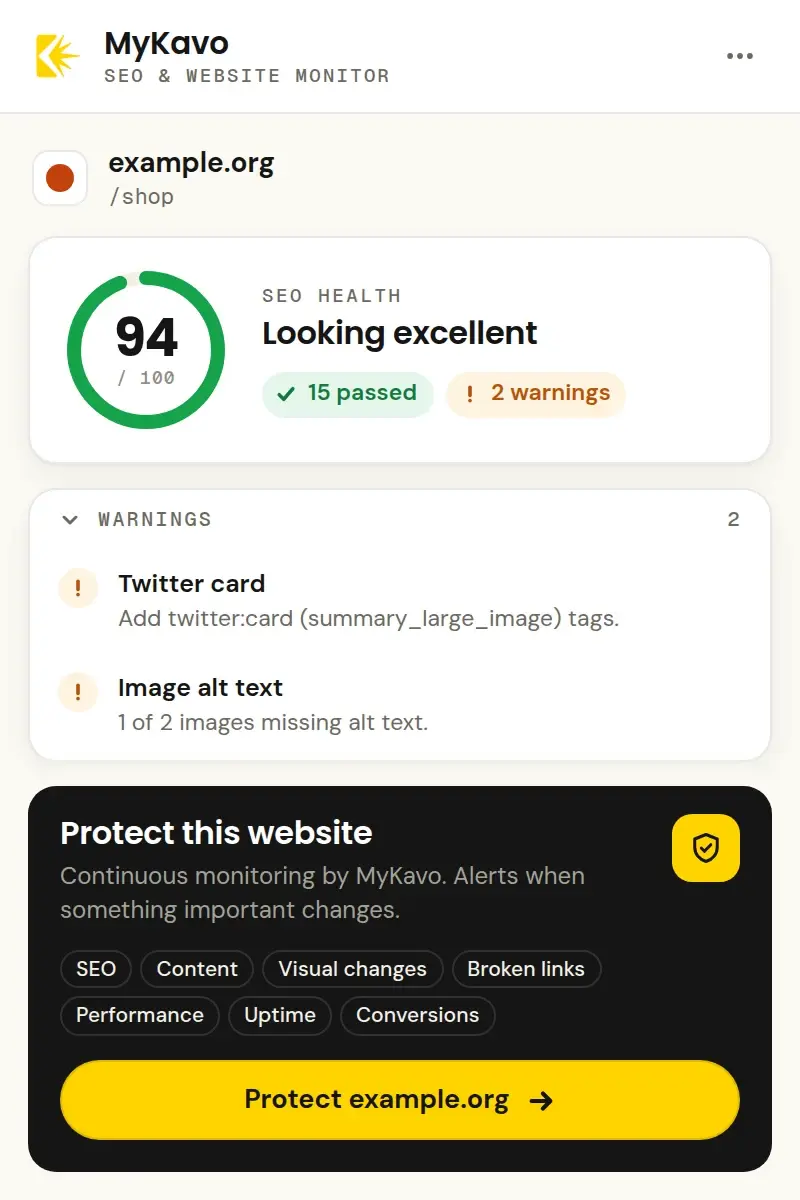
A score in one click.
A fix for every result.
Click MyKavo on any page for an SEO health score out of 100. Issues come first, then warnings, with passed checks folded away - and every result says exactly what to fix, with the real value shown.
- Title tag
- Meta description
- Canonical
- Indexable (noindex)
- HTTPS
- Mixed content
- Meta refresh
- H1 heading
- Mobile viewport
- Language
- Favicon
- Open Graph
- Twitter card
- Structured data
- Image alt text
- Content depth
- Internal links
Runs in your browser. No account needed, nothing sent anywhere.
// one-click protect //
No copying URLs. No setup.
Just Protect.
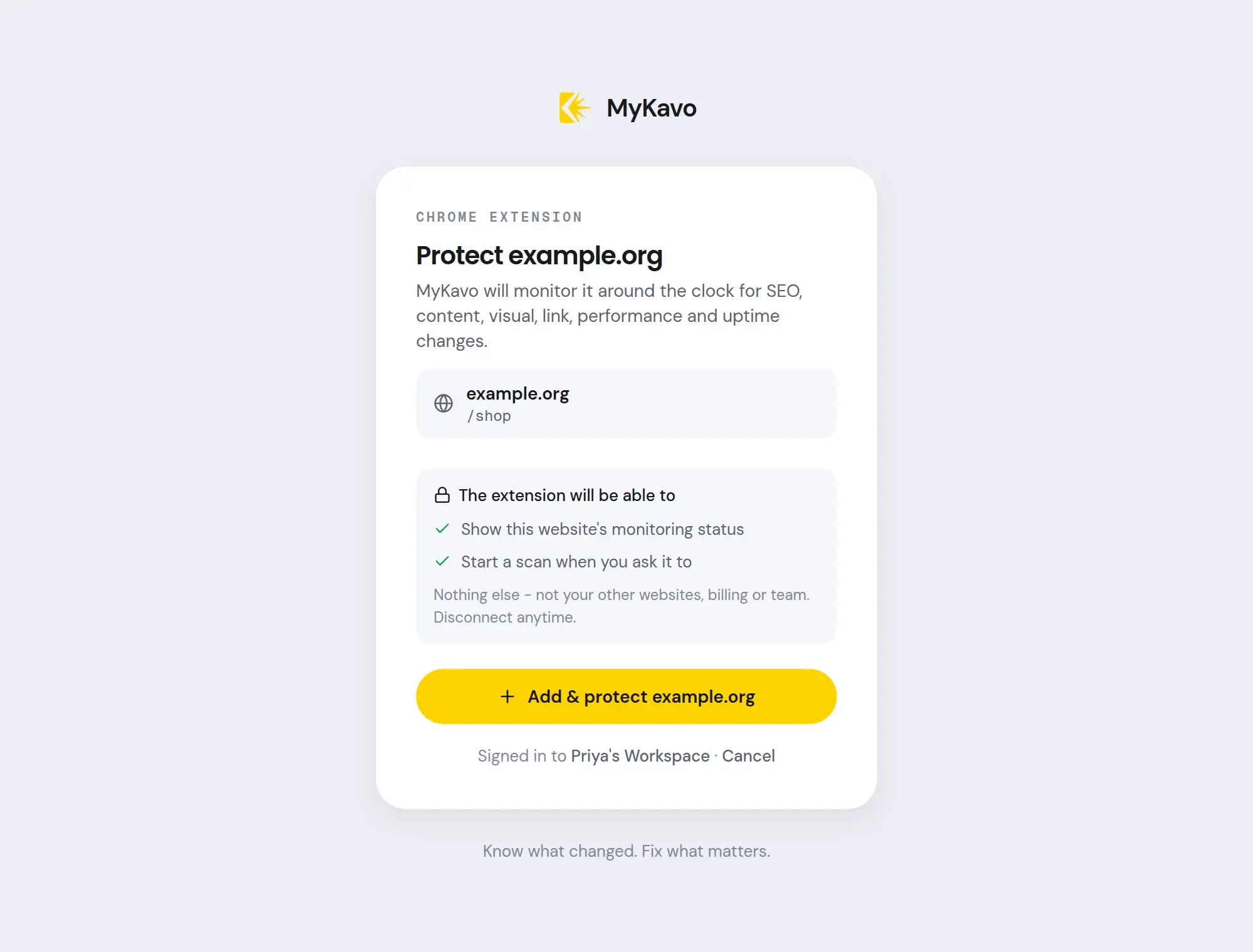
Press Protect
On any website, open MyKavo and press Protect. MyKavo opens in a new tab with the website already filled in.
Sign in or sign up
Use your MyKavo login, Google, or create a free account in a minute. Already signed in? It's one click.
Monitoring starts
Pick the pages to watch - the one you were on comes first - and MyKavo takes the first baseline straight away.
// wherever you browse //
Your site's status,
one click away.
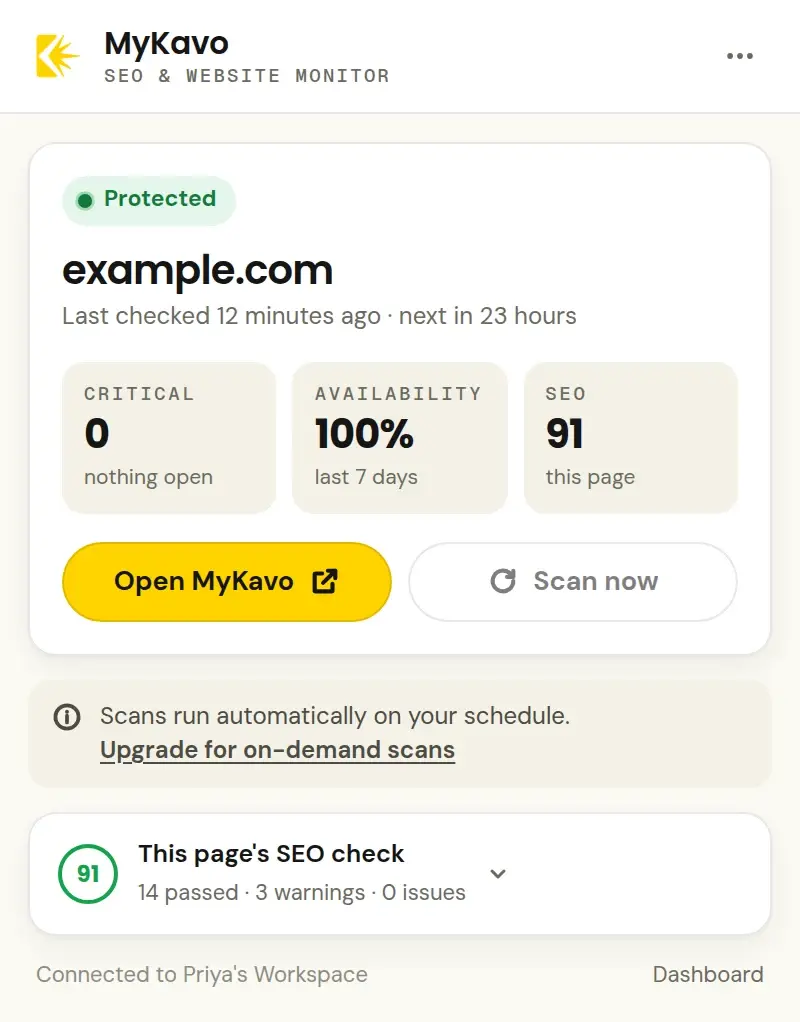
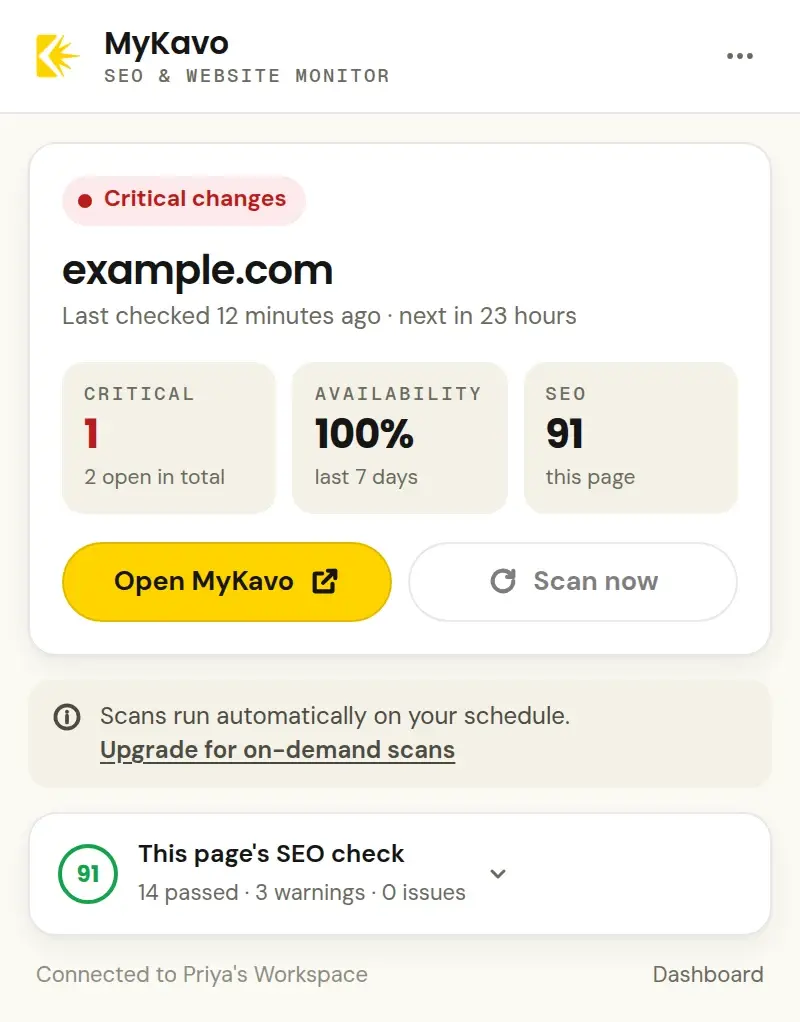
- A status the moment you open the extension on a protected site: Protected, Needs attention, Critical changes or Site down.
- Critical changes, 7-day uptime and this page's SEO score at a glance.
- Scan now after a deploy, and Open MyKavo for the before-and-after evidence. On-demand scans come with Pro and Agency.
- The toolbar badge lights up only when the site is down or has a critical change. No counts, no noise.
- Right-click any page and choose Monitor this page with MyKavo - handy when you look after many sites.
// once protected //
Everything MyKavo watches,
around the clock.
Uptime
Down, 5xx and SSL checks every few minutes.
SEO
Titles, canonicals, noindex, redirects.
Content
Text that changed, line by line.
Visual
Before-and-after screenshots with a diff.
Links
Internal links that start to 404.
Scripts
Analytics, tag manager and payment scripts.
Performance
Page weight, requests, response time.
Conversion
Signup, cart and checkout buttons.
Alerts by email, Slack, Discord or webhook - grouped, ranked by severity, and built to stay quiet.
// private by design //
It reads one page.
Only when you click.
No access to every site you visit, no browsing history, no page content sent anywhere. Read exactly what it handles in the privacy policy.
- The SEO check runs entirely in your browser. The page's content, address and title never leave it for the check.
- MyKavo is contacted only when you ask: Protect, Scan now, Open MyKavo, or opening the extension on a site you connected.
- Connecting uses an OAuth-style approval with PKCE on mykavo.app. The extension never sees your password.
- It holds a key for each connected website that can show its status and start scans - nothing else. Disconnect any time from the menu.
- Anonymous usage counts (never a web address) help us improve it, and switch off in one click. No browsing history, ever.
Right-click to monitor
“Monitor this page with MyKavo” on any page, for agencies adding client sites.
Scan after a deploy
Press Scan now and open the running scan in MyKavo (Pro and Agency).
A badge that means it
The toolbar icon only flags a site that's down or has a critical change.
// faq //
Extension questions.
Is the MyKavo Chrome extension free?
Yes. The extension is free, and so is the on-page SEO check - no account needed. Connecting a website uses your MyKavo plan, and MyKavo has a free plan: one website, five monitored pages and weekly scans, with no card required. On-demand scans from the extension come with Pro and Agency.
Does the extension send the pages I check anywhere?
No. The SEO check runs inside your browser on the page you're looking at, and nothing about that page is sent to MyKavo or anyone else. MyKavo is only contacted when you press Protect, Scan now or Open MyKavo, or open the extension on a website you've connected.
Do I need to keep Chrome open for monitoring to work?
No. Monitoring runs on MyKavo's servers around the clock. The extension is a shortcut to it: it shows the status when you visit, and alerts arrive by email (and Slack, Discord or webhooks if you set them up) whether Chrome is open or not.
Is it a full SEO crawler?
No - and it doesn't pretend to be. The extension checks the page you're on, instantly. Site-wide monitoring, page discovery and before-and-after comparisons happen in MyKavo once you protect the website. For a crawl of the whole site, MyKavo also has a Site Audit.
What permissions does it need, and why?
activeTab and scripting to read the page you click the icon on (only then), storage to remember the websites you connected, contextMenus for the one right-click action, and access to mykavo.app to talk to your MyKavo account. It does not ask to read every website you visit.
Does it work in Edge, Brave or Arc?
It is built for Chrome 116 and newer. Browsers built on Chromium, such as Edge, Brave and Arc, can install extensions from the Chrome Web Store too.
How do I disconnect a website?
Open the extension on that website, open the menu (the three dots) and choose Disconnect. The website stays monitored in MyKavo; only this browser's connection is removed.
Know what changed.
Fix what matters.
Check your next page in one click, and protect the websites you care about in one more.