// mykavo for shopify //
Change your theme
without fear.
MyKavo for Shopify checks your store every time your live theme is published or edited, then tells you whether anything broke - a missing add-to-cart button, a product page gone noindex, a changed title - with before-and-after screenshots, right inside your Shopify admin.
Coming to the Shopify App Store · Monitor any store from mykavo.app today
// built to never slow your store down //
Most apps add weight to your storefront.
This one adds nothing.
0
scripts, pixels or app blocks on your storefront
0
theme files changed
1
permission: read themes
0
customer or order data read
// theme checks //
Know which change
broke your store.
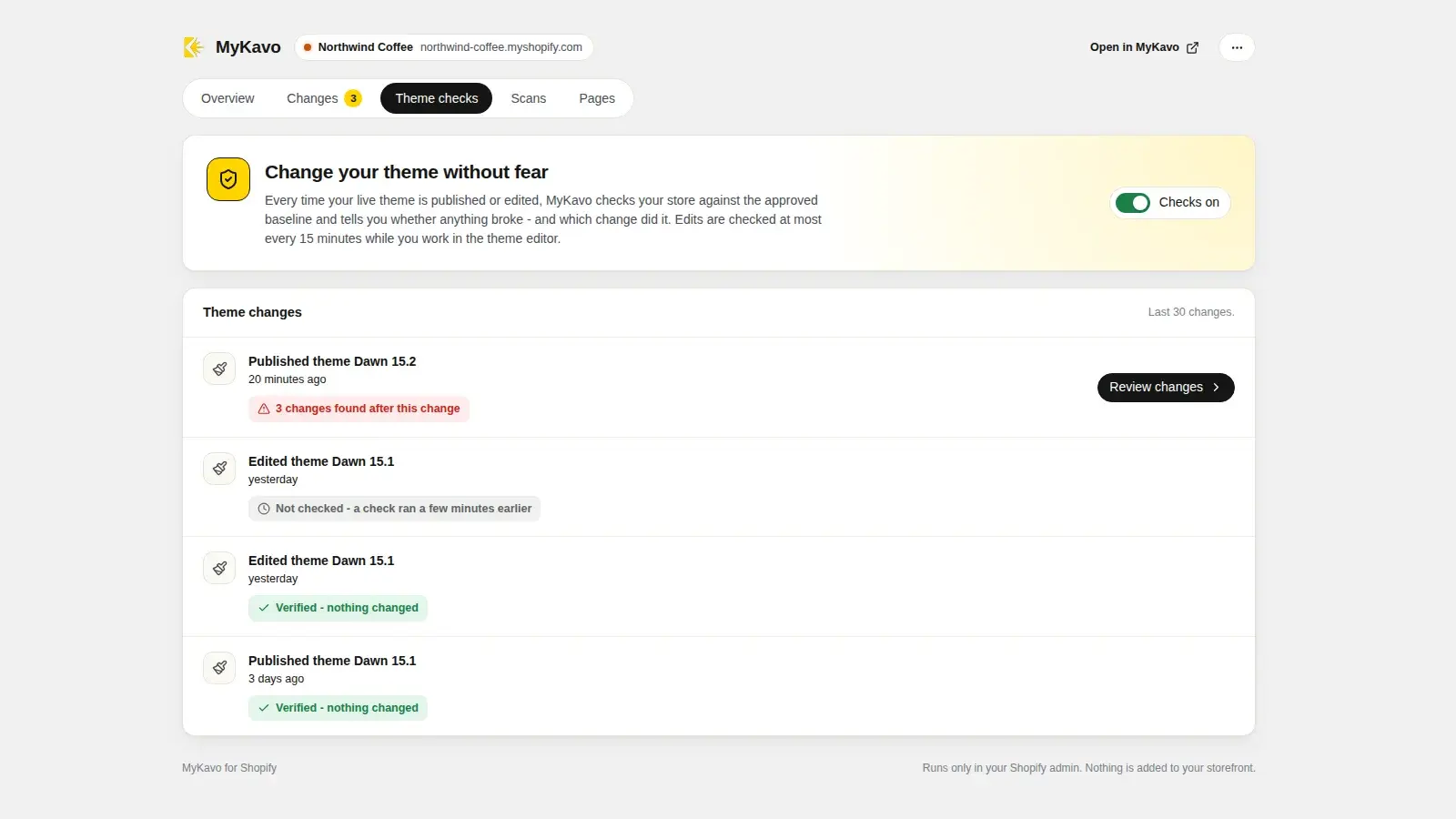
Theme updates and editor tweaks are the most common way a store quietly breaks. The store stays up, so nothing else notices. MyKavo checks right after the change.
- Publishing a theme starts a check of your monitored pages against their approved baseline.
- Edits to the live theme are checked too, at most once every 15 minutes while you work in the theme editor. Draft themes are ignored.
- A plain verdict on every theme change: “Verified - nothing changed”, or “3 changes found after this change” with the evidence one click away.
- Every change found afterwards is labelled with the theme change it appeared after, so you know what to roll back.
Automatic theme checks come with Pro and Agency. On Free, every theme change is still listed.
// the evidence //
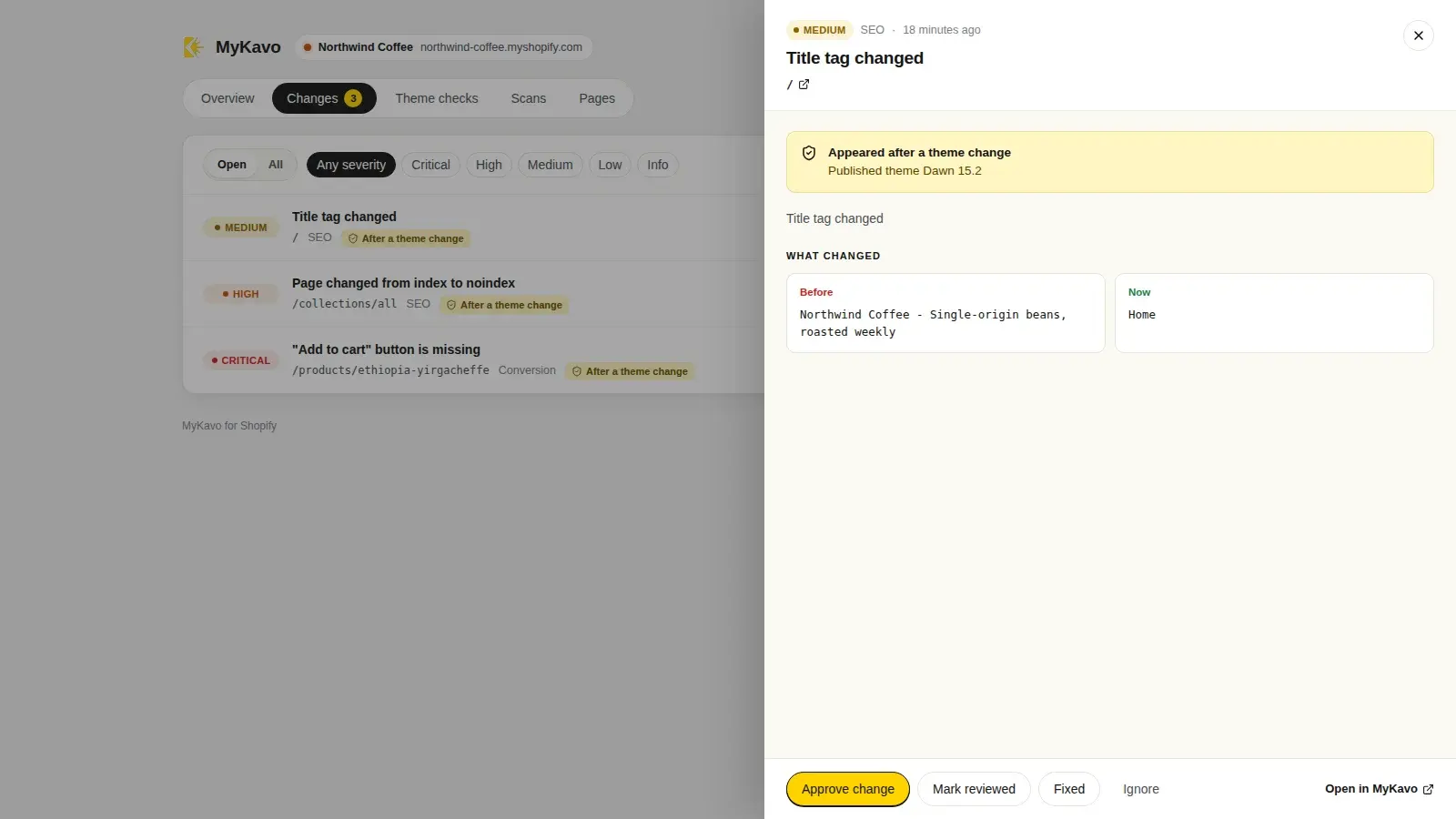
See exactly what changed.
Every change is ranked Critical to Info, with the old and new version side by side. Approve an intentional change as the new baseline, mark it fixed, or ignore it, without leaving Shopify.
// in the app //
Built for the parts that make money.
Add to cart, watched
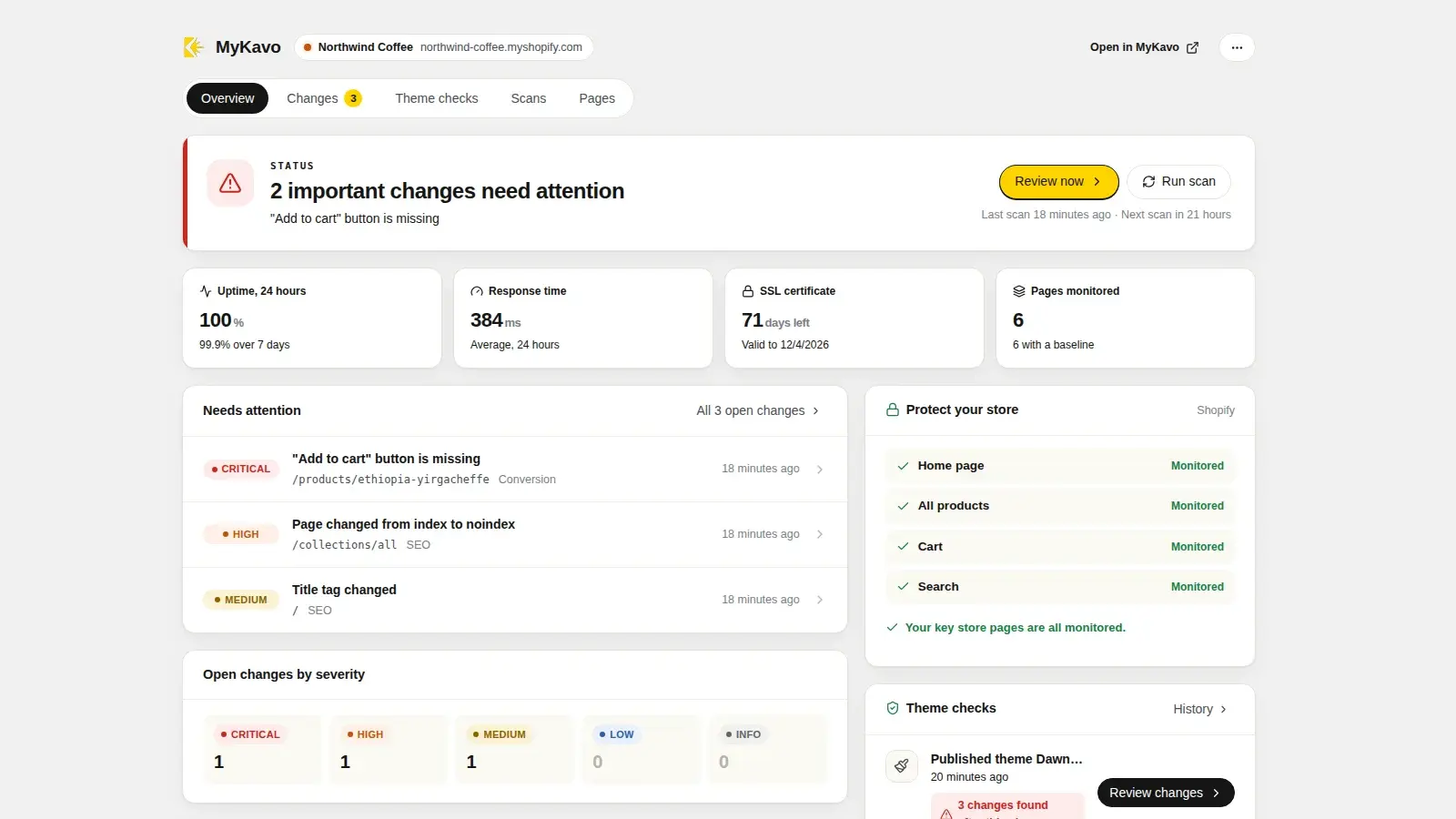
Mark your add-to-cart, buy-now and signup buttons as conversion elements. A missing or hidden button is a critical alert.
Product and collection SEO
Titles, meta descriptions, canonicals, robots tags and headings on the pages you choose. An accidental noindex never goes unnoticed.
Store pages covered
The app shows whether your home page, all products, cart and search pages are monitored, and adds the missing ones in one click.
Alerts where you are
Important changes can reach you by email or Slack, grouped per scan rather than one message per change.
Uptime, speed and SSL
Uptime over 24 hours and 7 days, average response time and days until your custom domain's certificate expires.
One permission
The app asks only to read your themes, so it can tell when the live one changes. It never reads orders or customers.
// set up in two minutes //
Install, connect, done.
01
Install
Add MyKavo from the Shopify App Store. It opens inside your Shopify admin.
02
Connect
Press Connect to MyKavo. Sign in or create a free account, choose your store's website, approve.
03
Change your theme without fear
The next theme publish or edit is checked automatically, and the verdict shows right in the app.
// questions //
FAQ
Will the app slow down my store?
No. It adds nothing to your storefront: no theme app extension, no script tags, no pixels. It runs only inside your Shopify admin, and the scanning happens on MyKavo's servers, the same way a shopper loads your pages.
Is the app free?
The app is free to install. It connects to a MyKavo account, which has a free plan: one website, five monitored pages and weekly scans, with no card required. Automatic checks after theme changes are part of the Pro and Agency plans, billed by MyKavo, not through Shopify.
What permissions does it need?
Only read_themes. Shopify tells the app when a theme is published or edited, and the app checks whether it was your live theme. It cannot change your theme, and it never sees orders, products, customers or payments.
What does the app store about my store?
Your store's name, its myshopify.com address and primary domain, an access token Shopify issues to the app (encrypted at rest), and the names of themes that were published or edited. Nothing about your customers. Everything is deleted when Shopify asks us to after you uninstall.
Can I use MyKavo on Shopify without the app?
Yes. MyKavo checks your public pages from the outside, so you can monitor any storefront from mykavo.app. The app adds the theme-change checks and brings everything into your Shopify admin.
Does it work with headless or custom themes?
Monitoring works with any storefront a browser can load, including heavily customized Liquid themes and headless front ends. Theme-change checks apply to Online Store themes, since those are what Shopify reports publishes and edits for.